Objective
Understand how OSPF behaves on a multi-access broadcast network. You will configure OSPF process 1, verify neighbor adjacencies, modify interface OSPF priorities to control the Designated Router (DR) and Backup Designated Router (BDR) elections, and configure passive interfaces.
Lab Topology
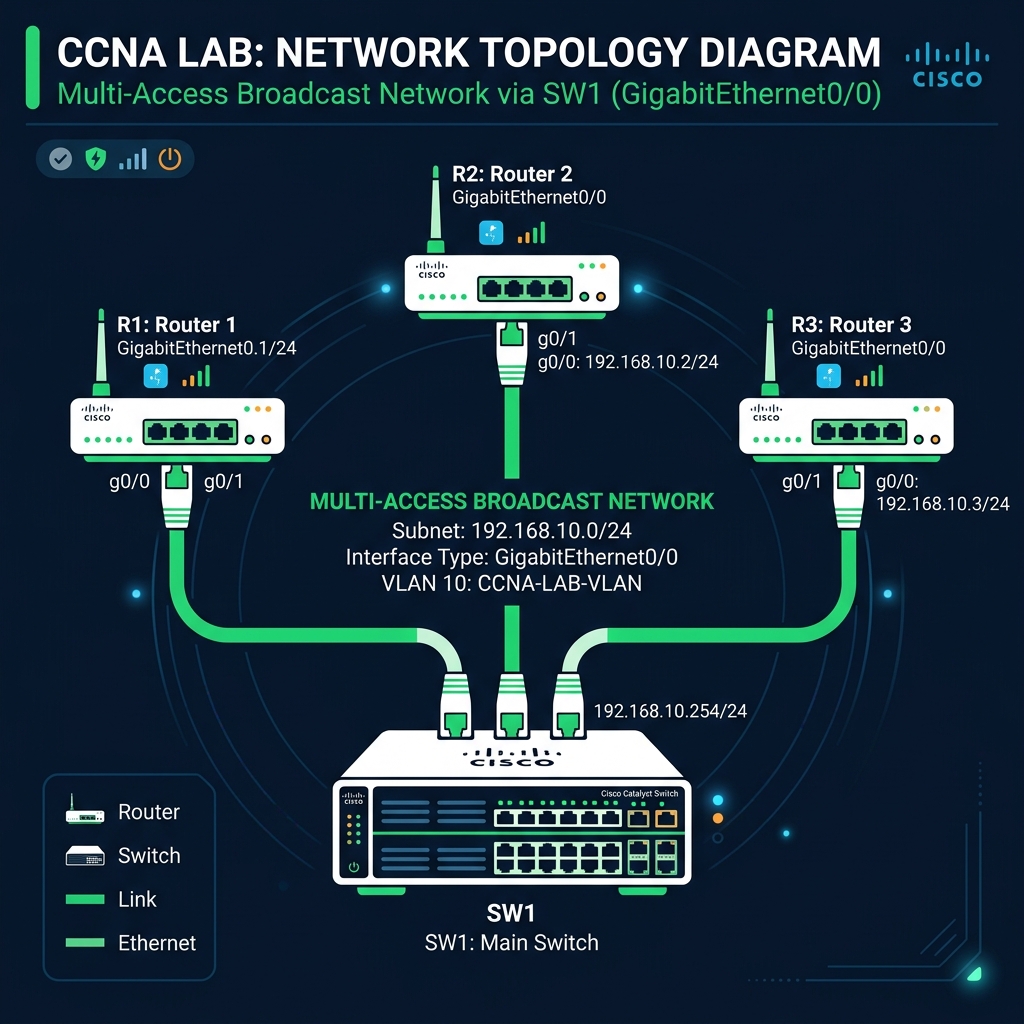
Task 1 - Basic OSPF Adjacency
Enable OSPF process 1 on GigabitEthernet0/0 interface of R1, R2, and R3 under Area 0.
R1(config)# router ospf 1
R1(config-router)# network 192.168.10.0 0.0.0.255 area 0
Task 2 - Adjust OSPF Interface Priorities
Manually enforce the DR/BDR roles. Set R1's priority to 255 (Primary DR), R2's priority to 128 (BDR), and R3's priority to 0 (never eligible to become DR/BDR).
R1(config)# interface gigabitEthernet 0/0
R1(config-if)# ip ospf priority 255
R2(config)# interface gigabitEthernet 0/0
R2(config-if)# ip ospf priority 128
R3(config)# interface gigabitEthernet 0/0
R3(config-if)# ip ospf priority 0
Task 3 - Configure Passive Interface
Configure R1's Loopback0 interface as a passive interface so OSPF advertisements are sent, but OSPF Hello packets are suppressed on that subnet.
R1(config)# router ospf 1
R1(config-router)# passive-interface loopback 0
Task 4 - Verification
Clear the OSPF process to force re-election, and verify neighbor states on R3.
R3# clear ip ospf process
Reset ALL OSPF processes? [no]: yes

R3# show ip ospf neighbor

Neighbor ID     Pri   State           Dead Time   Address         Interface
192.168.10.1    255   FULL/DR         00:00:36    192.168.10.1    GigabitEthernet0/0
192.168.10.2    128   FULL/BDR        00:00:38    192.168.10.2    GigabitEthernet0/0