Objective
Set up network redundancy using floating static routes. You will configure a primary path and a backup path with a higher Administrative Distance (AD) value to ensure automatic failover in case of a link failure.
Lab Topology
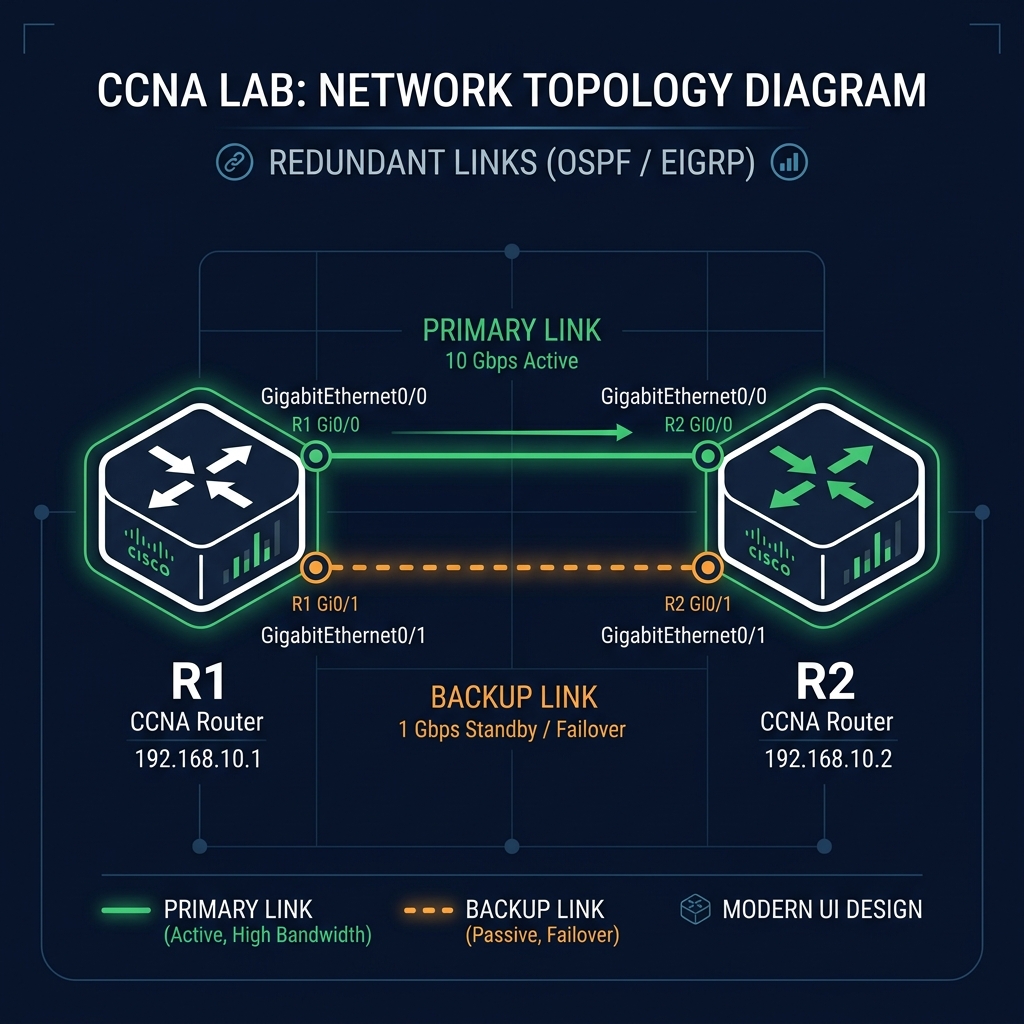
Task 1 - Configure Primary Static Route (R1)
Configure the default/primary static route via R1's interface GigabitEthernet0/0 next-hop IP (10.0.12.2) to reach R2's LAN segment (192.168.2.0/24).
R1(config)# ip route 192.168.2.0 255.255.255.0 10.0.12.2
Task 2 - Configure Backup Floating Static Route (R1)
Configure a backup route pointing to next-hop IP (10.0.21.2) over GigabitEthernet0/1 with an Administrative Distance of 50.
R1(config)# ip route 192.168.2.0 255.255.255.0 10.0.21.2 50
Task 3 - Verify Path Failover
Check the routing table to verify the primary path is preferred. Then, shut down the primary link (Gi0/0) to trigger path failover and verify the floating route is installed.
R1# show ip route static
     192.168.2.0/24 is subnetted, 1 subnets
S       192.168.2.0 [1/0] via 10.0.12.2

R1# configure terminal
R1(config)# interface gigabitEthernet 0/0
R1(config-if)# shutdown
R1(config-if)# end

R1# show ip route static
     192.168.2.0/24 is subnetted, 1 subnets
S       192.168.2.0 [50/0] via 10.0.21.2